
Best Website Fonts: 12 Readable Picks, Pairings, and Sizes
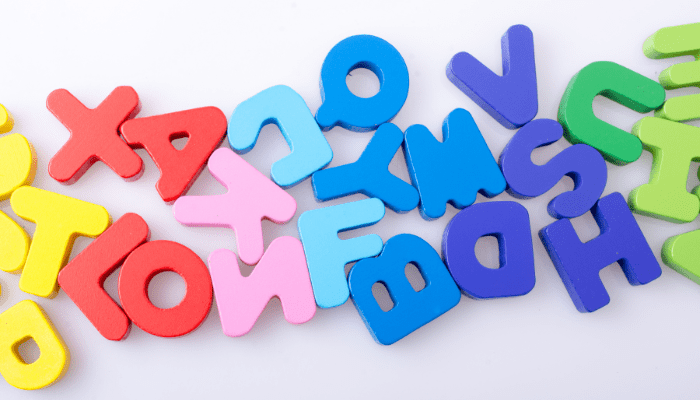
The best website fonts are simple, screen-friendly typefaces that stay readable at every size. For body text, reliable choices include Open Sans, Lato, Source Sans 3, Inter, Merriweather, and Georgia. For headings, Playfair Display, Lora, and Montserrat add personality. Set body text at 16px or larger with a line height around 1.5, and keep strong contrast against the background.
Below you will find 12 named fonts and what each is good for, proven pairings you can copy, the sizes and spacing that make text comfortable to read, and how to choose a font that fits your audience. We work with mental health practices, so we also cover what makes a font feel calm, but the advice applies to any website.
Eight things to remember when choosing website fonts.
- There is no single best font. The best one is readable first and fits your brand second.
- Clean sans serifs and screen-designed serifs make the most reliable body text.
- Save display, script, and high-contrast fonts for headings and short accents.
- Use 16px or larger for body text and a line height of about 1.5.
- Normal text needs a contrast ratio of at least 4.5:1 to meet WCAG AA.
- Two font families is usually plenty: one for headings, one for body text.
- Bold works because it is rare. If everything is bold, nothing stands out.
- Test your fonts on a phone and with real people before you commit.
Table of Contents
- What Are the Best Website Fonts?
- Why Do Fonts Matter on a Website?
- What Are the Main Types of Fonts?
- Which Fonts Feel Calm and Easy to Read?
- What Font Size and Line Height Are Best for Websites?
- What Are Good Font Pairings for a Website?
- When Should You Use Bold Fonts?
- How Do You Choose the Right Font for Your Website?
- Frequently Asked Questions
What Are the Best Website Fonts?
The best website fonts for body text are Open Sans, Lato, Source Sans 3, Inter, Nunito, Merriweather, and Georgia, because they stay clear on screens at small sizes. For headings, Playfair Display, Lora, and Montserrat add character. For maximum legibility, consider Atkinson Hyperlegible. All are free.
Every font below is either free on Google Fonts or already installed on most devices. We have noted what each does best so you can match it to your site.
| Font | Style | Best for |
|---|---|---|
| Open Sans | Sans serif | Body text. Neutral, open letterforms that read well at small sizes. |
| Lato | Sans serif | Body or headings. Semi-rounded details feel warm while the structure stays serious. |
| Source Sans 3 | Sans serif | Body text. Clean and understated, with many weights. |
| Inter | Sans serif | Body text and interface elements like buttons and forms. Designed for screens. |
| Nunito | Rounded sans serif | Friendly, approachable sites, such as child and family services or education. |
| Atkinson Hyperlegible | Sans serif | Accessibility-first sites. Built so similar letters are easy to tell apart. |
| Fira Sans | Sans serif | Sites that need wide language support. Originally designed for Mozilla. |
| Merriweather | Serif | Long reading, such as blogs and articles. Designed for screens. |
| Lora | Serif | Headings or body text when you want a warm, literary feel. |
| Georgia | Serif (system font) | A classic serif that is already on most devices, so it needs no download. |
| Playfair Display | High-contrast serif | Headings only. Elegant and polished, but too delicate for paragraphs. |
| Montserrat | Geometric sans serif | Headings and buttons. Confident and modern. |
Atkinson Hyperlegible was created by the Braille Institute to improve legibility for readers with low vision and is free on Google Fonts. It is worth a look if many of your visitors are older adults or if accessibility is a priority.
Why Do Fonts Matter on a Website?
Fonts decide whether visitors can read your site comfortably and how your brand feels before they read a word. A hard-to-read font makes people work harder and leave sooner. A well-chosen one quietly signals your personality, builds consistency, and keeps attention on your message.
Fonts are one of the most underappreciated parts of web design. Visitors rarely notice a good font, but they feel a bad one. If your text looks like a historical document or strains the eyes on a phone, people skim, squint, and give up.
Fonts also act as brand ambassadors. A traditional serif suggests heritage and reliability. A rounded sans serif feels friendly. A thin, high-fashion font feels exclusive. Your font says something about you whether you planned it or not, so it is worth choosing on purpose.
For a therapy practice, that first impression carries extra weight. Many people visit your site while they are stressed, tired, or unsure about reaching out at all. Text that is easy to read lowers the effort it takes to take that next step. Fonts work alongside color here too: see our guide to the psychology of color in marketing.
What Are the Main Types of Fonts?
The five main font types are serif, sans serif, display, handwriting (script), and monospace. Serif and sans serif fonts work for body text. Display and handwriting fonts work for headlines and short accents. Monospace fonts, where every character is the same width, suit code rather than general content.
Think of font categories like a wardrobe: each one suits a different occasion. Tap through the five types:
What they are: Fonts with small strokes, called serifs, at the ends of letters. Examples include Times New Roman, Georgia, Merriweather, and Lora.
What they signal: Tradition, credibility, and reliability. They are common on news sites, academic journals, and law and finance sites.
Watch out for: Overuse or older styles can make a site look dated. Choose a serif designed for screens if you use it for body text.
What they are: Fonts without serifs. Examples include Arial, Helvetica, Open Sans, Lato, and Inter.
What they signal: Clean, modern, and versatile. They suit startups, tech companies, healthcare, and most service businesses.
Watch out for: Very thin or tightly spaced sans serifs can be hard to read. Stick to regular weights for paragraphs.
What they are: Fonts designed to grab attention at large sizes. Examples include Impact, which is solid and imposing, and Lobster, which is playful.
What they signal: Personality and emphasis.
Watch out for: Use them sparingly for a headline or key phrase. They become tiring and hard to read in longer text.
What they are: Fonts that imitate handwriting or calligraphy. Examples include Pacifico and Dancing Script.
What they signal: A personal, human touch. Common on invitations, personal blogs, cafes, and lifestyle sites.
Watch out for: Too much script clutters a page and hurts readability. Keep it to a logo, a signature, or one accent line.
What they are: Fonts where every character takes up the same width, like a typewriter. Examples include Courier and Consolas.
What they signal: Technical precision. Consolas is popular in programming environments.
Watch out for: They are usually a poor fit for general content, including therapy and other service websites.
Font personalities: the emotional layer
Categories describe how a font is built. Personality describes how it feels. Fonts tend to fall into five personalities:
| Personality | Examples | What it signals |
|---|---|---|
| Classic | Times New Roman, Baskerville | Trust and tradition. Common in law and banking. |
| Modern | Helvetica, Arial | Technology and innovation. Common with tech companies and startups. |
| Playful | Comic Sans, Bubblegum Sans | Fun and informality. Best for younger or creative audiences, and used sparingly. |
| Elegant | Bodoni, Didot | Sophistication. Common in fashion and beauty. |
| Handwritten | Pacifico, Dancing Script | Personal warmth. |
Most therapy practices land somewhere between classic and modern: credible enough to trust, warm enough to approach. A child or family practice might borrow a touch of playfulness for headings, while a psychiatry or medication management practice may lean more classic.
Which Fonts Feel Calm and Easy to Read?
Fonts feel calmest when they are simple, generously sized, and well spaced. Plain sans serifs such as Open Sans and Arial reduce visual clutter. Larger text prevents squinting and frustration. Generous line spacing keeps paragraphs from feeling cramped. Together these make a page feel easy rather than stressful.
No font treats anxiety, but the wrong typography can add friction for someone who is already overwhelmed. Three things make the biggest difference:
Simple letterforms
Fonts like Open Sans, Arial, and Lato have no decorative flourishes, so the eye has less to process.
Larger sizes
Small, cramped text forces people to squint and zoom. Bigger body text feels more relaxed.
Generous line spacing
Tight lines feel dense and stressful. More space between lines (called leading) lets text breathe.
Plenty of white space
Short paragraphs and room around text blocks make a page feel calm and scannable.
Calm does not mean faint. Many wellness sites use pale gray text or thin fonts to look soft, but low-contrast text is harder to read, especially for older visitors and anyone with low vision. Our guide to making a therapy website accessible covers contrast and other accessibility basics.
What Font Size and Line Height Are Best for Websites?
Use at least 16px for body text, and consider 17 to 18px for comfortable reading. Set line height around 1.5 to 1.7 times the font size. Make sure normal text has a contrast ratio of at least 4.5:1 against its background, and keep lines from stretching too wide on large screens.
These settings matter as much as the font itself. A great font at 13px in light gray is still hard to read.
- Body size: 16px is the default text size in most browsers and a sensible minimum. Many readable sites use 17 to 18px on desktop.
- Headings: Make them clearly larger than body text so readers can scan. Scale them down on phones so a single heading does not fill the screen.
- Line height: Around 1.5 for body text is a good starting point. WCAG's text spacing guidance uses 1.5 times the font size as the line height your site should handle without breaking.
- Contrast: WCAG AA requires a contrast ratio of at least 4.5:1 for normal text and 3:1 for large text (about 24px regular or 18.5px bold).
- Line length: Very long lines are tiring to follow. Many designers aim for roughly 60 to 80 characters per line.
Check your own site against this list:
Tick each one your site already does.
What Are Good Font Pairings for a Website?
Good font pairings combine a heading font with personality and a calm, readable body font. Reliable combinations include Playfair Display with Source Sans 3, Lora with Open Sans, Montserrat with Merriweather, and Libre Baskerville with Lato. A single versatile family such as Inter or Lato can also handle both jobs.
The simplest rule: contrast, not conflict. Pair a serif heading with a sans serif body, or the reverse, so each has a clear role. Choose the feel you want for your site:
Select a style above to see a pairing.
Whatever you choose, use the same pairing everywhere: website, intake forms, email signature, and printed materials. Consistency is a big part of building a recognizable therapy brand.
When Should You Use Bold Fonts?
Use bold to signal importance and draw the eye: headlines, key phrases, and calls to action like "Book a free consultation." Bold reads as strong and confident, which is exactly why it only works when used selectively. If everything is bold, nothing stands out and the page feels loud.
Font weight is one of the easiest ways to create hierarchy. Bold signals strength and confidence and pulls attention to what matters most.
Good places for bold on a practice website:
- Headlines and section headings.
- Buttons and calls to action, such as "Request an appointment."
- The one phrase in a paragraph a skimmer should not miss, such as "We accept most major insurance plans" (if that is true for you).
- Labels in forms and contact details.
Avoid bolding whole paragraphs, mixing bold with all caps and underlines at once, or bolding several phrases in every sentence. For a calm, trustworthy tone, a little emphasis goes a long way.
How Do You Choose the Right Font for Your Website?
Start with your audience, then match your brand's personality, then prioritize readability. Narrow it to one or two families, check how they look on a phone and a laptop, confirm they load quickly, and ask a few real people for their reaction before you commit. Font appeal is subjective, so testing matters.
- Know your audienceConsider age, expectations, and context. Older adults benefit from larger, simpler type. Professionals and referral sources often expect a sense of authority. Parents looking for child therapy may respond to something softer.
- Match your brand's personalityA formal, clinical brand suits a classic serif or a crisp sans serif. A relaxed, warm brand may suit a rounded sans serif. Pick the feel first, then the font.
- Prioritize readabilityChoose body fonts with open shapes and clear differences between similar letters. Use expressive fonts only for headings.
- Limit your choicesTwo families is usually plenty. Load only the weights you use, often regular and bold, to keep the site fast.
- Check performanceEvery extra font file adds loading time. Use WOFF2 files and consider hosting fonts on your own server, which can speed things up and means visitors' browsers are not requesting files from a third party.
- Test on real screensLook at your pages on a phone, a tablet, and a laptop, in daylight and at night. Text that looks fine on a large monitor can feel tiny on a phone.
- Test with real peopleAsk a few friends, family members, or colleagues who resemble your audience how the site feels and whether it is easy to read. Avoid asking current clients.
And do not overthink the small stuff. Arguing over Arial versus Helvetica is rarely worth the time. The best font is the one that gets out of the way and lets your message lead. For more design choices that build trust, see our guide to therapist website design.
We design calm, accessible websites for mental health practices, from typography and color to intake.
Frequently Asked Questions
Attractiveness is subjective and depends on context. Georgia is widely seen as classic and elegant, and Futura as modern and geometric. Decorative fonts such as Lobster can look appealing as a heading or accent, but only in small doses. An attractive font complements your design without overpowering the content.
Eye-pleasing fonts balance readability with a little character. Merriweather and Garamond-style serifs are comfortable for longer reading, while Lato and Open Sans stay clear in both short and long text. Size, line spacing, and contrast affect comfort as much as the font itself.
Serifs such as Times New Roman and Garamond convey formality and credibility. Sans serifs such as Helvetica and Calibri are common in corporate settings, and Roboto and San Francisco are modern options designed for screens. Professional usually means restrained: one or two fonts, used consistently.
Yes. Fonts in the Google Fonts library are released under open-source licenses, so you can use them on commercial websites at no cost. You can load them from Google or download the files and host them on your own server.
Both work. Sans serifs are the most common choice for body text on screens because they stay clear at small sizes. Modern serifs designed for screens, such as Merriweather and Georgia, are also very readable. Many sites use a serif for headings and a sans serif for paragraphs.
Not exactly. Logo fonts are often decorative and would be tiring as body text. Instead, choose website fonts that complement your logo, perhaps using the logo font, or a similar one, for headings, and a plain, readable font for everything else.
About LMR Digital Marketing
LMR is a digital marketing agency built exclusively for mental and behavioral healthcare practices. For more than 15 years, we have helped practices improve online visibility, attract qualified clients, and grow clinician caseloads through SEO, content marketing, Google Ads, social media, local SEO, and website optimization.
Our web design for mental health practices brings together readable typography, accessible color and contrast, clear calls to action, and SEO-ready structure, so your website feels welcoming to prospective clients and makes it easy for them to reach out.
LMR Digital Marketing
Digital Marketing Services for Mental & Behavioral Healthcare. Reach out today to see if we are a good fit.
Follow Us On Instagram!
Who We Help
- Applied Behavior Analysis Companies
- Group Therapy Practices
- Rehab Centers
- Telehealth Companies
- EHR and other Saas Companies
- Speech Therapy Practices
- Medical Practices
- Psychiatric & Medication Management
Helpful Page Links